
Just checked the valve that was working yesterday (my first one) no longer gets instructions to run (but it will work by pushing the button)
1 Like
Since they have been connected since last year, I would say the easiest thing to do is remove each valve, and then add one at a time and update the firmware on each one before adding the next one.
Here are the instructions on how to remove.
If you still have issues let us know and we can troubleshoot more.
Thank you for your patience!

For your back yard valve, I would remove it, re-add, and then update the firmware. You should be good to go after that. If not let us know and we can troubleshoot further.
Have a great day.
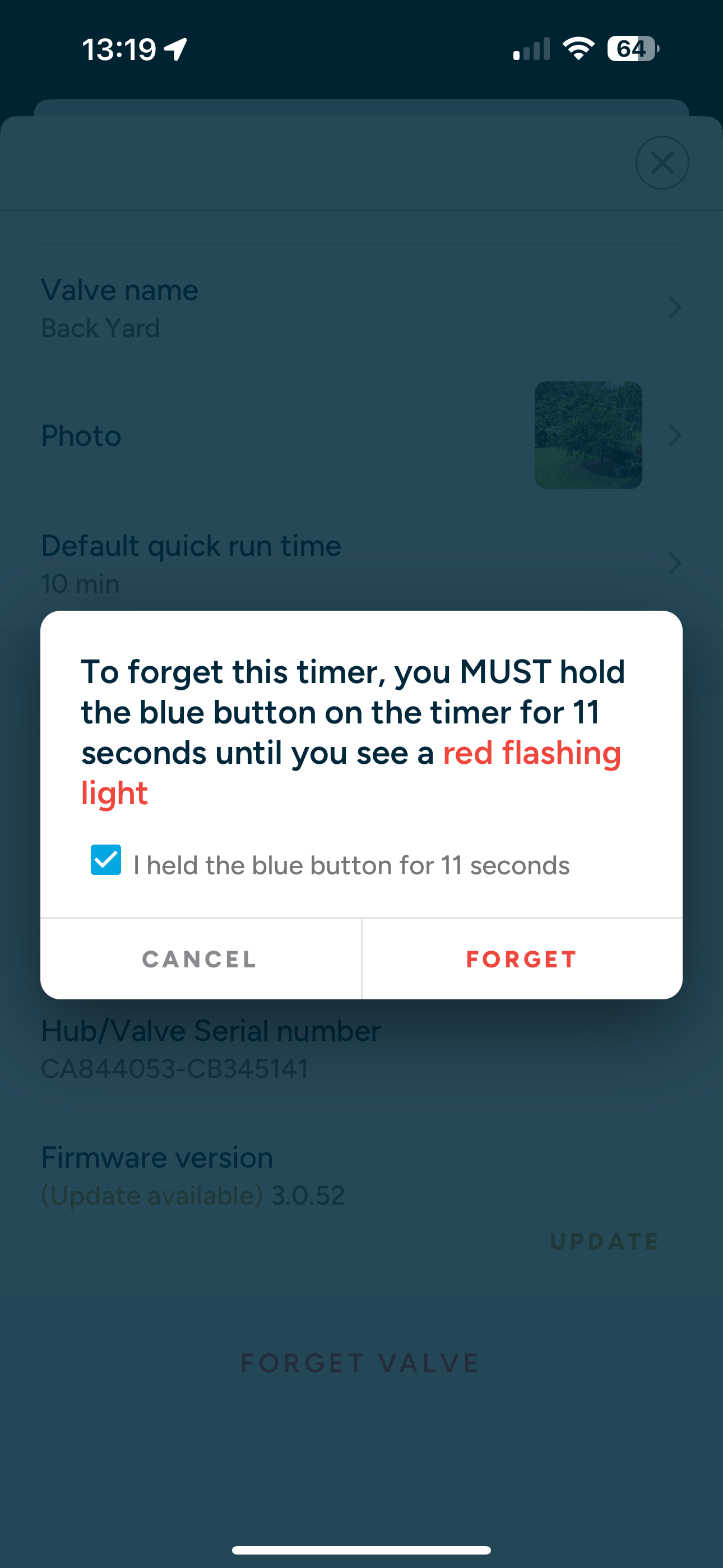
Thank you for the very quick response. I was able to (sort of) remove the back yard valve. I followed the instructions, held until the flashing red light was seen. I selected “FORGET” but the screen kept reappearing. Even though the red flashing light was seen. I just selected “CANCEL” after 3 tries. After I re-installed the valve, I immediately got the “Firmware” update failed. The other valve installed 2 days ago, now says “Busy”
I’m not giving up yet. Thoughts?
1 Like
Hmm…let me have the team check this out.
@EdPilot Is the valve in question relatively close to the hub?
Yes. About 15’.
I wound up “Forgetting” the hub, and re-installed it. I added the valve I was having trouble with, and immediately got the “Firmware” failed. I did the un-power, re-power the hub thing, then did the firmware update.
The hub flashed green and yellow for a while. Then steady green. Then one flash (I believe) of yellow, back to green–and got confirmation the firmware was updated (6.0.16). Just tested it, and valve works now.
The next trick is to re-install the first valve from a few days ago (that was reporting “busy”).
I’ll advise how that goes.
Ok, both valves look good with updated firmware. Just let me know if you have any additional issues.
Have a great day.
Thanks for the fast response time. Really appreciate it.
Of some note is that both valves were purchased from Amazon two days apart, but one valve Firmware is 6.0.16 and the other is 6.0.15. Both are working, so I’ll take that as a win!
Yeah don’t worry about that, they are both identical, one just has a higher number 
Hi there,
Experiencing a similar problem to those above. Have a Smart Hose Timer that I installed today. The valve works with a push of the button on the front, but wasn’t getting any activation of the hose through the app. Then got a notification to update the Hub firmware, that seemed to go fine, but updating the Valve firmware failed a number of times, despite disconnecting from power and reconnecting as instructed.
Any ideas?
Thanks!
Can you try forgetting the valve (make sure you press the button for 11 seconds to reset) and then let me know when re-added. I can have the team try a firmware update on the Rachio side.
Okay, I’ve removed the valve and re-added. Same message of failed update is coming up at this point.
I had the team send the firmware, and it looks good to go. Thank you for your patience, let us know if you have any other issues.
Seems to be working! Thank you so much, that was unreal how fast and responsive your team is!
Definitely will recommend!
Thanks for your patience! Just let us know if you have any other questions or feedback.
Good morning. I bought the water hose valve and hub from Amazon when I opened it, it seem like it was returned from another customer. The packaging was already open and the valve itself had dirty fingerprint stains all over it. I figure I would try to set it up before I decide to return. However, I am having the same issue with the firmware getting stuck and then getting an error. I have tried to remove the hub from my account and resetting it to factory default. That has been really painful to get it to recognize my wifi’s password. Now I am back again at the part where it won’t let me add the valve until I upgrade the firmware. I have 3.0.48/6.0.16. Any help to get this to move forward would be really appreciated. Thank you!
I had the same issue and just returned the product. What was the fix for you all?
1 Like
I am also having this issue. Just received my Rachio Smart Hose Timer today. I’m wondering if this is fixable, or if I should return it and exchange it for a new one?
1 Like
I am also having this issue. Just received my Rachio Smart Hose Timer today. I’m wondering if this is fixable, or if I should return it and exchange it for a new one?
Hi there, I’ve informed our customer support team, they should be in contact to assist with the issue.