
So a quick update on this “PWS” that is on sale at costco, I went out and bought one to better get a feel for the features / experience, here is my story so far:
Pros out of the box: I’ve discovered that it comes (if sold from costco) with all the batteries you would need
System overview:
Display: Nice LCD display, overall I like the battery backup feature and how display looks.
Pros during setup: I’ve discovered that all of the sensors have a unique ID.
Rain sensor: Mass produced to be as accurate as initial manufacturing tolerance.
Cons about Rain sensor: No way to calibrate the device at the factory or at home. Wear & tear (on plastic cup / standoff) as well as outdoor elements will make this sensor inaccurate overtime if it was accurate to begin with (no factory calibration is possible).
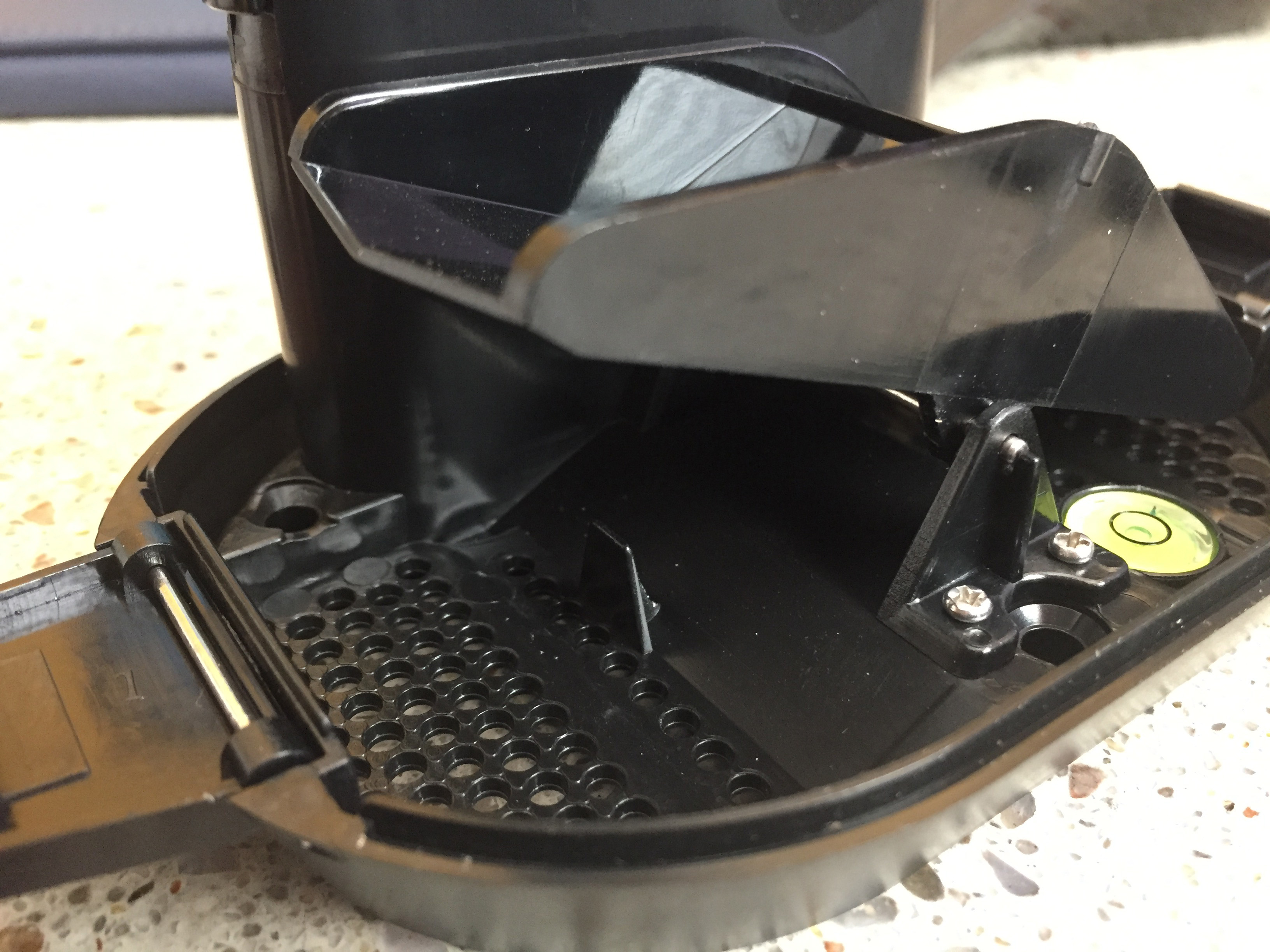
(note the molded plastic standoff, impossible to calibrate outside of manufacturing tolerance)
Wind sensor: Overly big, shape makes it apparent that the wind sensor used to feature a temperature / humidity sensor as well, but even though now they’ve are separate devices wind sensor shape was not optimized to save engineering costs.
Cons for wind sensor: Needlessly large sensor size will cause more air resistance and create unnecessary force onto whatever support structure the sensor is connected to. There is also no wind direction measurement making this system able to only measure 4 outdoor measurements.
Temperature / humidity sensor: Pretty standard sensor
Pro: features a display allowing for outdoor temperature check.
La Crosse Weather Connect app: Oh boy, here we go. What a mess. This is an official app which theoretically allows: “Users [to] register their Weather Stations to Weather Underground through the app if they so desire.”. That app app does not seem to work with this model. While it allows you to input the wundergournd info and “setup” the wifi on the device, it appears to have no functional effect and the base shows “no connect app server” error after a little while.
La crosse view app: This app is a pain on so many levels. First of all it has originally failed to “find” the display while it was provisioning (wifi emblem blinking to indicate that it is searching for wifi). Second of all even after a succesful setup, I’ve started getting “no connect app server” errors constantly (which may or may not be related to me trying to get Weather Connect app to work). The crazy thing is that in order to try fixing the “no connect” error, I’ve created a new account and after deleting all of the sensors and display from original account, I’ve tried to add them to the new account. This has resulted in system giving me an error that the display (and probably the sensors) are owned by a different account (which at that point has no sensors associated with it). So if you ever wish to sell / give away this PWS without giving away your account, you would need to contact support team.
App cons:
Weather underground seems to be not supported, even though they have an app for that.
Phone support “does not support” connectivity features of the this product. I’m stuck waiting for support ticket to be noticed by who ever can actually troubleshoot this thing.
If you try using their Weather Connect app, it may brick your ability to connect to the “view” app without giving you any benefit in return.
At this point my recommendation is “DO NOT BOTHER!”, this product really is not worth the pain. If you’ve already bought yours and were lucky to get it running with the view app, send me an email to beta@wufyi.com, I’d be happy to see what I can do to get your data out of their closed garden.
Thanks,
Gene