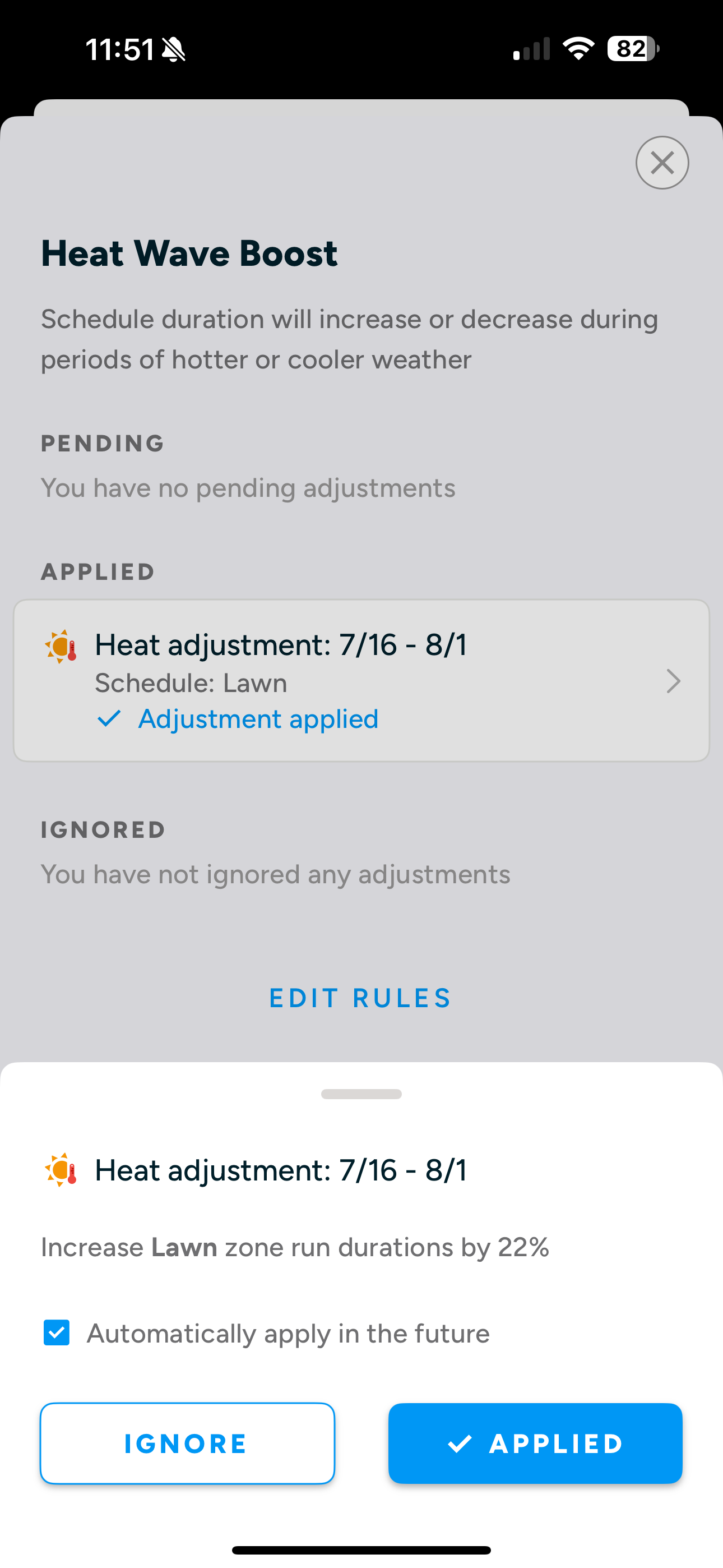
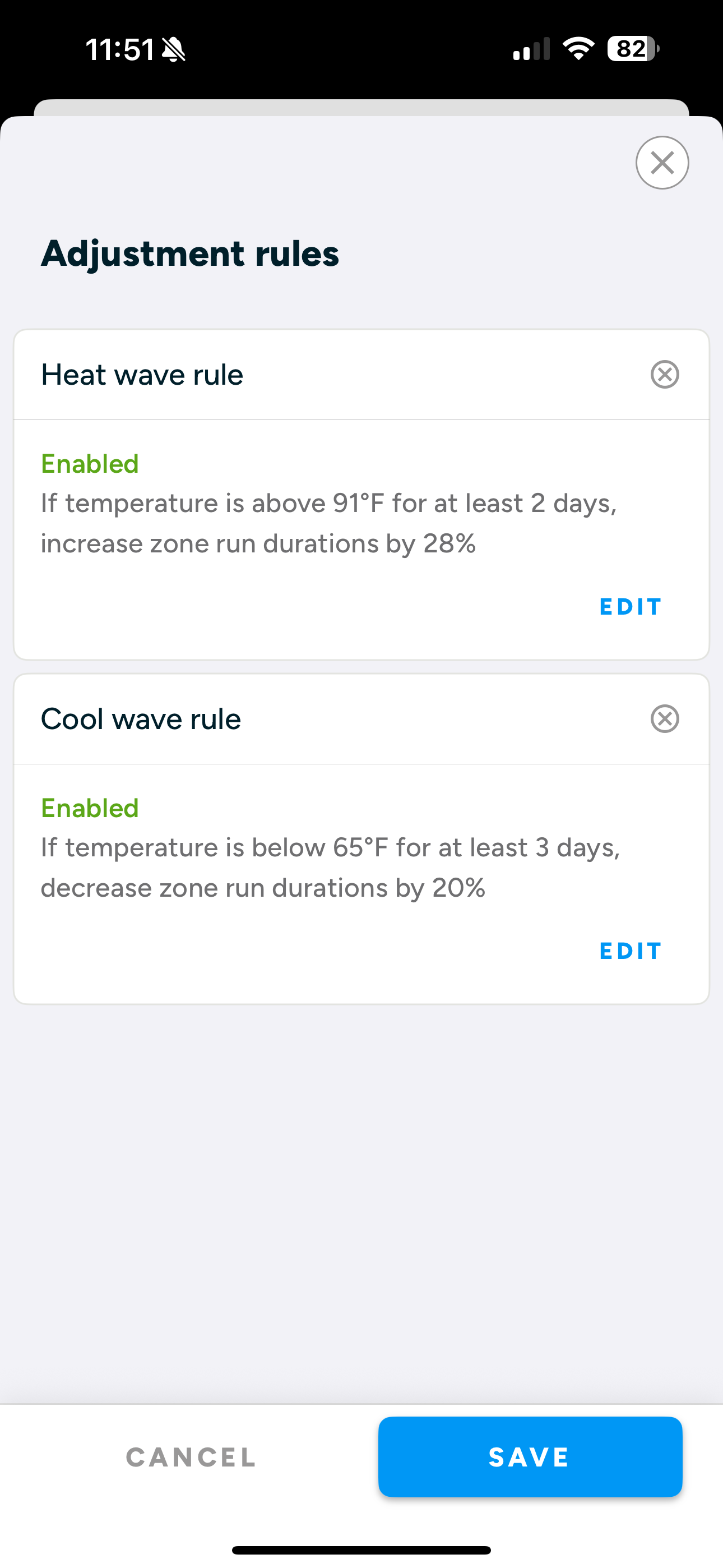
I’ve had Heat Boost working correctly since I initially set it up at +22% months back. It’s gotten quite hot lately & I updated to 28%. It’s saved in the rule, but is not showing that that’s what it is applying at 28%. I’ve tried to get it to trigger, but nothing has worked. I disabled & reenabled the schedule along with the Heat Rule itself.
Any ideas how I can get it to update the currently applied 22% to 28%? I’m assuming it’s going to wait until after 8-1 to apply?
Should I cross post this to Troubleshooting? It seems like a bug at this point. It just added 3 days to the old Heat Boost schedule & didn’t apply the current percent.
I believe this is working by design. The rule itself is updating correctly, but once a rule is applied to a specific run we don’t make changes to it. Only new schedule runs that the rule is applied to will get the updated percent.
For this user to get what they’re after, they need to delete the rule completely so it will be removed from all existing runs. Then if they recreate the rule it will get applied with the new percentage.
We will be discussing internally if we need to modify this behavior.
It’s a bit difficult to tell for certain in my live environment, but I’m PRETTY SURE, that I tried disabling & it made no change. I also clicked the “x” to remove the boost all together & it had shown still applied.
It did start working the other day after a rain came through over the weekend & the heat boost period expired & a new heat boost was made anew with the proper settings.
As intended, I assume, the Heat Boost kept adding days to the end of the schedule despite my mentioned disable/enabled, delete, various Heat Boost setting adjustments. Given the setting it’s plausible this could have gone on for weeks, but we got fortunate a rare rain storm came through & the Boost reached its end.
I think the naive expectation of anyone is that a change in the rule would apply to any upcoming run, regardless of how they’ve been internally already allocated/calculated/modified/whatevered - people don’t think of the internals, they think of their expectations - and the system should mimic that as much as possible.
@Chevyhater06 Thank you for bringing up this issue. We agree with the naive expectation posed by @ady624 and agree that our initial logic for how edited adjustments map to upcoming existing schedule runs is not the best way to do it. We’re designing a fix and will implement the change soon. Again, thanks for being attentive users and speaking up!
In the meantime, @Chevyhater06 you can delete your rule and make a new one and you’ll see it map to all upcoming schedule runs. When we release our fix this will work seamlessly by just editing the rule.